Skip to content






tl;dr of Japanese Transcription Tools & Accuracy
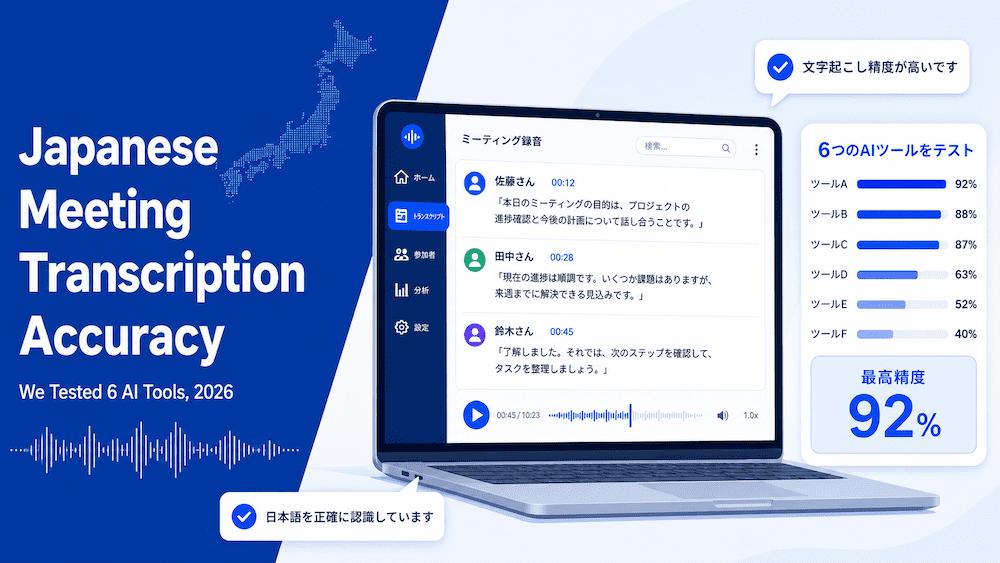
In our Japanese meeting transcription testing, we tested six tools across three recorded meetings. The results showed that tl;dv scored highest overall, with 189 of 200 points available.
The second tool that scored well was Notta, with 166 points, then Rimo with 140.
tl;dv led in areas such as transcription accuracy, real-world meeting elements such as summaries, as well as having many useful features that enhanced the quality of the meeting output on top of the transcription itself. In particular, it handled speaker naming and transcription of proper nouns correctly.
Japanese meeting transcription tools are incredibly useful for those conducting daily meetings and operations in Japanese.
All across the world, meetings can be very busy, with multiple speakers, rapid turn-taking, and the occasional English loanword. And while many tools on the market offer Japanese speakers transcription and other features, it’s important to be confident that your meetings are being recorded correctly.
To offer insight into how tl;dv performs for a Japanese speaker, we tested it against five other commonly used tools in the market. These were:
- Rimo
- Tactiq
- CLOVA Note by Naver
- Notta
- Google Gemini
All of these tools were given the same source material and were then scored across four separate areas.
We then used the transcription and summary outputs, scored them with an LLM, and then had a secondary panel of Japanese speakers review the outputs in an anonymized format.
These are the results.
| Tier | Max | tl;dv | Rimo | Tactiq | ClovaNote | Notta | Google Gemini |
|---|---|---|---|---|---|---|---|
| Transcription & accuracy | 65 | 60 | 57 | 26 | 33 | 57 | 39 |
| Real-world meeting quality | 45 | 45 | 24 | 30 | 24 | 38 | 17 |
| Capabilities and features | 72 | 66 | 47 | 46 | 32 | 59 | 11 |
| Trust, security and value | 18 | 18 | 12 | 12 | 6 | 12 | 15 |
| Overall score | 200 | 189 | 140 | 114 | 95 | 166 | 82 |
| Rank | 1 | 3 | 4 | 5 | 2 | 6 |
Japanese Meeting Transcription & Accuracy
These are the results of comparing transcription accuracy across six tools given the same Japanese audio. These were scored by LLMs (Anthropic’s Claude and OpenAI’s ChatGPT) and then confirmed based on a blind native-speaker assessment, with the tool names hidden
| Metric | How scored | tl;dv | Rimo | Tactiq | ClovaNote | Notta | Google Gemini |
|---|---|---|---|---|---|---|---|
| Language accuracy | Blind native-speaker severity rating on in-language accuracy | 20/20 | 20/20 | 8/20 | 12/20 | 20/20 | 16/20 |
| Language-specific handling | Diacritics, punctuation, regional variants, code-switching | 16/20 | 16/20 | 8/20 | 8/20 | 16/20 | 12/20 |
| Character error rate scoring | Computed against an official transcript or reference text | 5/5 | 4/5 | 2/5 | 2/5 | 5/5 | 1/5 |
| Entity detection | Names, companies and places across the cast | 5/5 | 4/5 | 2/5 | 2/5 | 4/5 | 2/5 |
| Numbers, dates and currency | Figures, dates and amounts formatted correctly in-language | 4/5 | 4/5 | 3/5 | 3/5 | 4/5 | 4/5 |
| Technical term raw recognition | Industry terms and acronyms before custom training | 5/5 | 4/5 | 2/5 | 2/5 | 4/5 | 3/5 |
| Punctuation and segmentation | Sentence breaks and paragraphing in test-run output | 5/5 | 5/5 | 1/5 | 4/5 | 4/5 | 1/5 |
| Transcription & accuracy subtotal | 60/65 | 57/65 | 26/65 | 33/65 | 57/65 | 39/65 |
Across the six tools assessed, tl;dv recorded the highest accuracy, with a subtotal of 60.
Rimo followed at 57 with Notta also at 57, with Google Gemini at 39 ClovaNote at 33, and Tactiq at 26.
tl;dv held the top position on language accuracy, on proper noun and name accuracy, and on technical-term recognition prior to any custom training. It also achieved excellent results in areas such as language-specific handling, numbers, dates, and currency, and punctuation and segmentation.
Entity Detection
One element that we tested for was entity detection. Entity detection is defined as the tool’s ability to render known names and terms accurately. Within the audio, there were several brand names, including tl;dv.
tl;dv was able to identify and correctly transcribe tl;dv as its true form, with the semicolon. None of the other tools could do this, although many could transcribe it as TLDV, which is close to accurate in this instance. Some of the other tools were unable to render it correctly at all, including CLOVA Note, which rendered it in variations such as pldv, gldv, and just dv.
We found that this was also the case for other brand names and individuals’ names, with many of the tools giving different versions of the proper nouns throughout the outputs. A tool that renders an established name correctly tends to maintain accuracy for other entities present in a meeting, such as locations, people, and company names.
tl;dv recorded the highest score out of all six tools. The same consistency extended to other entities in the transcripts, with tl;dv correctly retaining individuals’ names when referred to in speech.
CER Scores
We were able to run a fourth test using a verified transcript from a third-party source to calculate the Character Error Rate (CER), a foundational metric for scoring ASR (speech-to-text). In our CER testing, tl;dv came away with an excellent score of 0.8%, closely matched by Notta. For comparison, Rimo scored 1.5%, Tactiq 7.7%, Clova 7.8%, and Gemini 10.8%. Gemini was based on a shorter recording because it encountered a meeting failure error.
Speaker Labeling
tl;dv was the only tool to label speaker names. For recordings involving multiple speakers, this distinction directly affects the transcript’s usability. It is the principal reason tl;dv is positioned ahead of Rimo, which recorded comparable accuracy but provides no speaker labels.
Competitor Observations
Rimo recorded the closest result, with strong accuracy and well-proportioned, readable segments. Its primary limitation is the absence of speaker labels, and it rendered the product name as “TLDV”.
Notta also performed well and divided the text into clear paragraphs, though the blocks tended to run long, according to our native-speaker panel.
Clova provided clean per-sentence line breaks, but its accuracy was insufficient to support them, and its inconsistent rendering of the various product names reflects broader recognition issues.
Tactiq performed weakest on the fundamentals. Speaker detection failed, dividing a single speaker across multiple labels, and accuracy was low throughout. It recorded the lowest result of the six.
A Note On Google Gemini
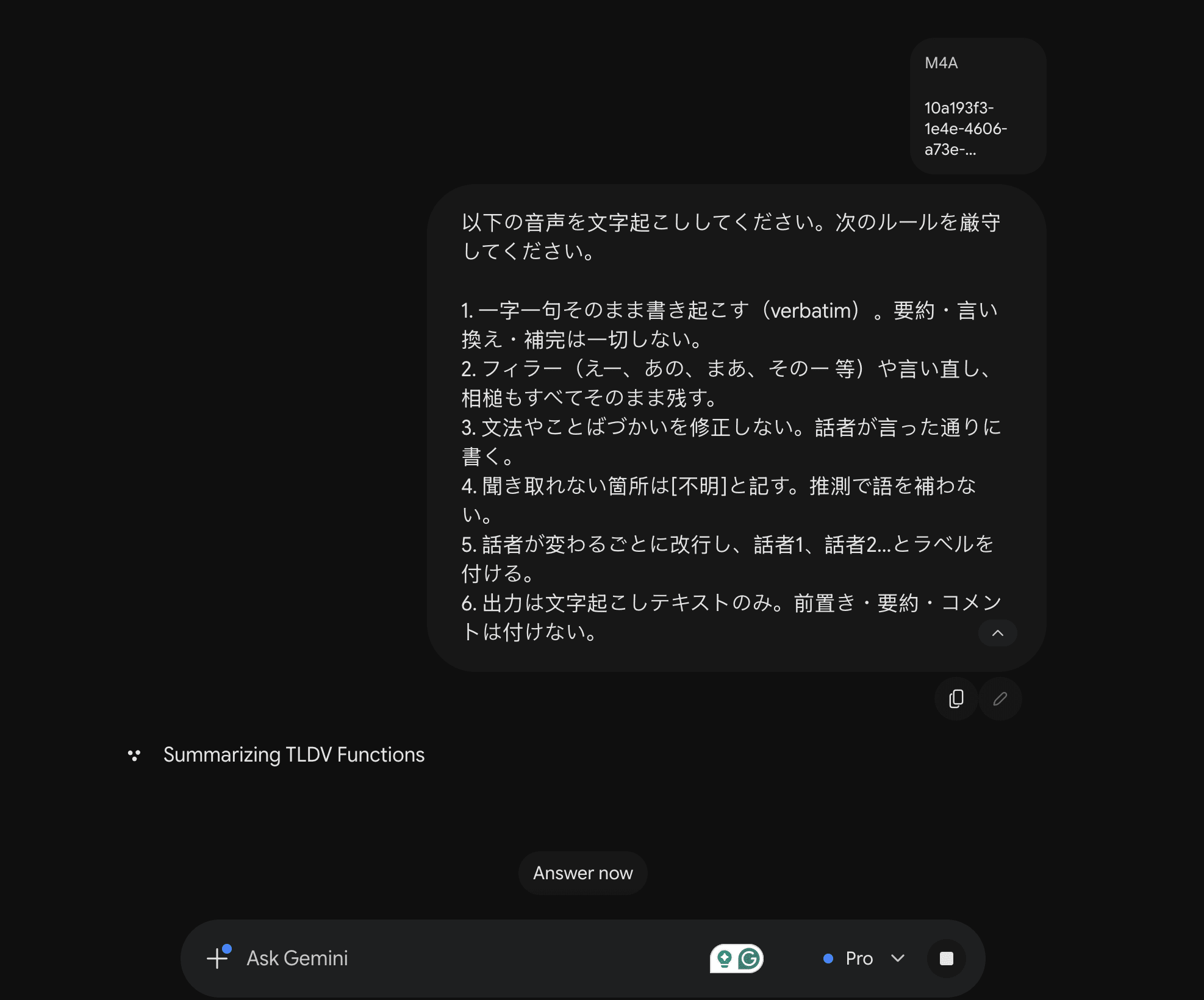
The source materials were pre-recorded webinars, so Gemini could not be run live within a Google Meet session, which is its standard capture method. A paid Google account was used to process the M4A file directly. Gemini returned only a portion of the session rather than the complete recording, and the transcribed section degraded wherever the audio could not be parsed, resulting in weak, difficult-to-read output. For context, this same file was handed to Notta, showing that it was not the source that was the issue.
A live trial on a fourth asset was used, and this was done live on Google Meet in order to calculate the CER scores. Google Gemini was added live to a meeting but stopped partway before having to be reintroduced. As a result, the transcript was truncated again, and had many inaccuracies.
Gemini has been retained in the comparison for completeness, with this limitation noted. Its output also showed some multilingual awareness, identifying English recording cues within the audio.
Real-World Meeting Quality
In addition to transcription quality, the output of the transcript and other associated items, such as summaries, is a very important element. In our testing, we looked to see how these items arrived and the standard of the quality for every day use.
| Metric | How scored | tl;dv | Rimo | Tactiq | ClovaNote | Notta | Google Gemini |
|---|---|---|---|---|---|---|---|
| Diarization quality | Correct speaker count and turn attribution vs known cast | 10/10 | 4/10 | 2/10 | 6/10 | 6/10 | 6/10 |
| Behavioral stability | Behavioral stability across session types | 10/10 | 10/10 | 6/10 | 9/10 | 10/10 | 2/10 |
| Summary quality | Usefulness of the summary and whether it stayed in the source language, with allowances for loanwords | 5/5 | 0/5 | 4/5 | 0/5 | 4/5 | 0/5 |
| Hallucination / insertion rate | Invented, looped or duplicated text not present in the audio. Mishearings and truncation excluded | 10/10 | 10/10 | 9/10 | 9/10 | 10/10 | 9/10 |
| Action item extraction | Quality of tasks and follow-ups pulled from the meeting | 5/5 | 0/5 | 4/5 | 0/5 | 3/5 | 0/5 |
| Auto chapters / sectioning | Does the summary break the meeting into useful sections | 5/5 | 0/5 | 5/5 | 0/5 | 5/5 | 0/5 |
| Real-world meeting quality subtotal | 45/45 | 24/45 | 30/45 | 24/45 | 38/45 | 17/45 |
Across the six tools, tl;dv was the only one to record full marks in every category of real-world meeting quality, with a subtotal of 45 out of 45. Notta followed at 38, Tactiq at 30, with Rimo and CLOVA Note at 24, and Google Gemini at 17.
Much of the spread comes down to one factor: whether a tool produced a usable Japanese meeting summary at all. Where none was returned on the tested plan, the tool scored 0 on summary quality, action items, and sectioning. This reflects what the tool delivers out of the box, not the quality of any summary it might produce on another plan.
Diarization & Speaker Attribution
tl;dv recorded full marks for assigning the right speakers and attributing each turn. CLOVA Note, Notta, and Gemini landed mid-table, while Tactiq struggled most, dividing a single speaker across several labels.
Summaries, Action Items, & Sectioning
This is where the field divides most clearly. tl;dv, Tactiq, and Notta produced Japanese summaries that were graded on quality, with tl;dv scoring highest. Rimo, CLOVA Note, and Gemini produced none out of the box on the plan tested: CLOVA Note’s feature is Korean-only, Rimo’s was paywalled, and Gemini returned none. The score reflects availability, not summary quality.
Capabilities & Features
An AI meeting assistant is much more than a meeting note-taker, with many features and elements that enhance the quality of transcript output and the activities surrounding it. We looked at some of the most notable features available and determined if each tool has that capability, adjusting the scoring to measure each one’s benefit and impact on the user experience.
| Metric | How scored | tl;dv | Rimo | Tactiq | ClovaNote | Notta | Google Gemini |
|---|---|---|---|---|---|---|---|
| Speaker naming out of the box | Auto-names real speakers on Meet, Zoom, Teams | 5/5 | 0/5 | 1/5 | 0/5 | 0/5 | 0/5 |
| Voice printing | Availability of voice-print training for the user's own voice | 5/5 | 0/5 | 0/5 | 0/5 | 5/5 | 0/5 |
| Bot-free recording | Records via system audio without sending a bot into the call | 5/5 | 5/5 | 5/5 | 5/5 | 5/5 | 0/5 |
| CRM sync | Native and auto-sync | 3/3 | 0/3 | 3/3 | 0/3 | 3/3 | 0/3 |
| Custom notes / templates | Customizable summary formats vs a fixed output | 3/3 | 3/3 | 3/3 | 0/3 | 3/3 | 0/3 |
| Custom vocab / entity training | Teach industry terms and acronyms | 5/5 | 5/5 | 0/5 | 5/5 | 5/5 | 0/5 |
| Japanese UI localization | Whether the product interface itself is available in Japanese | 5/5 | 5/5 | 5/5 | 5/5 | 5/5 | 5/5 |
| Integrations breadth | Slack, calendar, Zapier, API | 3/3 | 0/3 | 3/3 | 0/3 | 3/3 | 0/3 |
| Processing speed | Time from meeting-end to finished transcript | 3/3 | 2/3 | 1/3 | 0/3 | 3/3 | 0/3 |
| Filler-word tracking | Filler word tracking - Tracks um, eh, este without stutter-doubling. Allows for full visibility of spoken transcripts rather than over-smoothing | 3/3 | 0/3 | 0/3 | 0/3 | 0/3 | 0/3 |
| Timestamp accuracy | Spot-check that timestamps land on the right moment | 3/3 | 3/3 | 2/3 | 2/3 | 3/3 | 0/3 |
| Translation availability | Can it translate the meeting notes, and into how many languages | 3/3 | 3/3 | 3/3 | 0/3 | 3/3 | 0/3 |
| Search within transcript | Search across a meeting and across the library | 3/3 | 3/3 | 0/3 | 3/3 | 3/3 | 0/3 |
| Transcript editing UI | Can you correct the transcript easily after the fact | 3/3 | 3/3 | 3/3 | 3/3 | 3/3 | 3/3 |
| Export formats | SRT, VTT, TXT, DOCX and similar | 0/3 | 3/3 | 3/3 | 3/3 | 3/3 | 0/3 |
| Live / real-time transcript | Is a transcript shown live during the meeting | 0/3 | 3/3 | 3/3 | 0/3 | 3/3 | 3/3 |
| Meeting platform coverage | Zoom, Meet, Teams, Webex coverage | 3/3 | 3/3 | 3/3 | 0/3 | 3/3 | 0/3 |
| Mobile app capture | Can it record in-person meetings via a mobile app | 3/3 | 3/3 | 0/3 | 3/3 | 3/3 | 0/3 |
| Native MCP server | Native first-party server letting AI assistants query the meeting library | 5/5 | 0/5 | 5/5 | 0/5 | 0/5 | 0/5 |
| Speaker label editing | Can you rename and reassign speakers after the fact | 3/3 | 3/3 | 3/3 | 3/3 | 3/3 | 0/3 |
| Capabilities and features subtotal | 66/72 | 47/72 | 46/72 | 32/72 | 59/72 | 11/72 |
There are many capabilities that separate a dedicated meeting tool from a basic meeting transcriber, and tl;dv scored top of the field across them. There are two in particular that stand out
Native MCP Server
tl;dv was one of only two tools with a native MCP server, which lets AI assistants query the meeting library directly. Most of the field scored zero here. It is the feature that connects recorded meetings to the wider set of AI tools a team already uses, rather than leaving the transcript in a closed system.
Voice Printing
tl;dv was also one of only two tools to offer voice printing, alongside Notta. It trains on your own voice, so it improves how reliably you are identified across your meetings, an advantage that builds the more you use it.
Trust, Security & Value
Some of the most important things to think about when choosing a tool to record your meetings in Japanese are trust, security, and value. Many of these can be earned by a good quality transcription product, with excellent features and usable outputs, but a large factor is in how the company approaches handling sensitive data. We researched each tool to learn more about their status and viewpoints on areas such as security and compliance, and data residency.
| Metric | How scored | tl;dv | Rimo | Tactiq | ClovaNote | Notta | Google Gemini |
|---|---|---|---|---|---|---|---|
| Data residency / regional hosting | Regional hosting options, e.g. JP hosting on demand | 3/3 | 3/3 | 0/3 | 0/3 | 0/3 | 3/3 |
| Security and compliance | SOC2, ISO 27001, GDPR | 3/3 | 3/3 | 3/3 | 0/3 | 3/3 | 3/3 |
| AI training on user audio | Does it avoid training AI on your audio (no training scores full marks) | 3/3 | 3/3 | 3/3 | 0/3 | 0/3 | 3/3 |
| Data retention controls | Control over how long recordings and transcripts are kept | 3/3 | 0/3 | 0/3 | 0/3 | 3/3 | 3/3 |
| Price transparency | Plan prices are published rather than quote-only | 3/3 | 3/3 | 3/3 | 3/3 | 3/3 | 3/3 |
| Free tier / limits | Free plan availability (a free trial alone scores 0) | 3/3 | 0/3 | 3/3 | 3/3 | 3/3 | 0/3 |
| Trust, security and value subtotal | 18/18 | 12/18 | 12/18 | 6/18 | 12/18 | 15/18 |
This particular criteria looks beyond transcription to how each tool handles your data, an area that carries particular weight for Japanese organizations.
Japanese Data Residency On Demand
Japan does not legally require meeting data to be stored on home soil. What it does require is careful handling of any personal data sent overseas: under the APPI, transferring data to a third party in another country generally requires the individual’s prior consent, whereas retaining that data with a provider in Japan removes that obligation. For many Japanese enterprises, domestic storage is also a straightforward matter of trust and internal policy.
tl;dv supports on-demand Japanese data residency, so organizations that need it can have their meeting data hosted in Japan rather than processed abroad by default.
Your Data Stays Yours
tl;dv also scored full marks on security posture, data retention controls, and not training AI models on customer audio. Taken together, the tier reflects a tool designed to meet the standards a Japanese enterprise would expect before meeting recordings leave the room.
Japanese Meeting Accuracy Test: Methodology
Our comparison is built on a controlled, like-for-like test designed to give every tool the same conditions.
The Test Set
Three pre-recorded webinars of around one hour each formed the basis of the comparison. Core files were downloaded and processed through each tool's upload function. Most tools accepted the MP4 directly; two required conversion to M4A before upload. All three webinars were run through all six tools in one of the two formats, with CLOVA and Gemini tested on M4A.
The Review
Outputs were assessed by our native speaker panel: Mioko, Oji, and Hiromi, working anonymously and scoring the positives and benefits of each result. These scores were aggregated to produce the final ratings. Feature and attribute data was sourced from public-domain documentation.
The Tool Set
Selection was based on popularity and standard use in the Japanese market. Gemini is the desktop version, suited to pre-recorded webinar material, included for its availability and underlying Google engine. Tactiq was included on the basis of its stated operation in the Japanese market. CLOVA refers to CLOVA Naver, the Korean version of CLOVA Line.
Engine & Plan Breakdown
The way that each tool works is that it is driven by an engine that processes the recording and turns it into a transcript. Each tool has its own version, while many tools use the same company as their engine, the way that they are configured is different. In addition, many tools offer different engines depending on the tier that you sign up for. For context, all Japanese meetings at tl;dv are run on the same engine, whether it is a paid-for account or free account, ensuring consistency whatever your investment.| Tool | Underlying engine / vendor | In-house or licensed | Engine type | Plan |
|---|---|---|---|---|
| Rimo | In-house Japanese deep-learning speech model. OpenAI API used for the editor and summary layer only. | In-house (recognition), licensed (editor) | Dedicated ASR | Free trial |
| tl;dv | ElevenLabs | Licensed | Dedicated ASR | Business |
| Notta | Unnamed domestic Japanese third-party partner | Licensed | Dedicated ASR | Paid, one month |
| Tactiq | Meeting-platform captions on the live path. This test used file upload, so Tactiq ran its own upload transcription, which is not publicly documented. | Mixed, partly undisclosed | Platform captions (live) or upload ASR | Free |
| CLOVA | NAVER CLOVA Speech | In-house (NAVER) | Dedicated ASR | Free (Korean-market CLOVA Note) |
| Google Gemini | Google Gemini | In-house (Google) | LLM | Standalone Gemini app (Business Starter account) |
Scope & Caveats
- CLOVA Line was not tested, as access was blocked by a telephone verification issue.
- M4A conversion may introduce minor differences against a native-format upload.
- Public-domain feature data reflects what was published at the time of testing and is subject to change.
Every tool was run on identical source files, reviewed by the same panel, and scored on the same basis, keeping the comparison as fair as possible.
What Is The Best Meeting Transcription Software For Japan
In all of our testing, across all four areas, tl;dv finished first. It can label speakers by name, render every proper noun correctly, and is one of the few tools that offer voice printing, a native MCP server with ChatGPT and Claude, and on-demand Japanese data residency. Each of these makes it a strong contender for an excellent Japanese meeting transcription tool.
The rest of the tools have real strengths, with Notta offering excellent features while providing a slightly degraded version of the transcription. Equally, Rimo did well on transcription, but had fewer real-world capabilities and lacked a summary feature, meaning that in many areas it scored 0. CLOVA also offered summaries in Korean, so we were unable to test these.
Tactiq provided a transcript that looked solid on output, but was fairly unreadable by our native Japanese-speaking panel, with some clear errors. Gemini did not render the entirety of the audio, meaning that any strengths of the transcription became effectively zero, as it was unusable as a full output.
For Japanese meetings specifically, where there are many elements and different voices interacting over important matters, tl;dv held up across all three of our runs.
If your team conducts meetings in Japanese and requires a solid, reliable meeting recorder, with extra features that take the meeting from just a transcript into something that enhances and drives your work forward, then tl;dv is the best choice.
Try tl;dv free and see how it handles your Japanese-language meetings across Google Meet, Zoom, and with our desktop app bot-free recording, any other meeting platform.
FAQs About Japanese Transcription Accuracy
How accurate is AI Japanese transcription?
AI Japanese meeting transcription is accurate enough for most business meetings, and the strongest tools produce text that a native reader can accept with minimal correction. In our testing, tl;dv led the field on Japanese accuracy. The most common faults elsewhere are the wrong kanji for a homophone, names rendered in katakana, and dropped or merged speaker labels.
Why do many tools struggle with Japanese transcription?
Most transcription tools were built around English first, so they lean on cues like spaces between words that Japanese does not use. Japanese is not harder in itself, it simply works differently, with homophones written in different kanji and three writing systems for one sound. The better tools are the ones designed to handle these features rather than assume English.
What is the best AI tool for Japanese transcription?
The right choice depends on the meeting, but tl;dv finished first across every tier we tested. For meetings with several people, tl;dv was the only tool to label speakers by name, which makes the transcript usable without manual cleanup afterward.
Can AI transcription handle keigo and Japanese honorifics?
Most tools hear keigo correctly but then flatten or “correct” the honorific form, changing the register of what was said. The transcript still reads as fluent Japanese, so the shift is easy to miss. In our blind native-speaker review, tl;dv retained these finer linguistic details more reliably than the rest.